19,043 games • 168 updates this week • 4,739 users

ICARUS (TENOKE): Update v2.2.59.138676
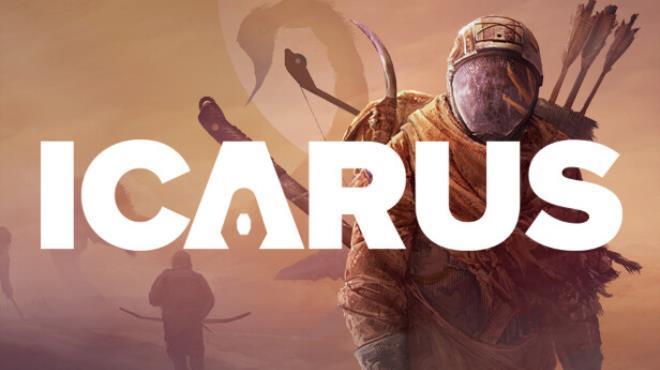
ICARUS (TENOKE): Update v2.2.59.138676 cover art
4.3
...
User Verdict
Based on 85 community votes
  • TENOKE
  • Update v2.2.59.138676 + all DLC
  • FREE DOWNLOAD
  • TORRENT
  • UPDATED
Support the developers by purchasing the gameGet it on Steam
Updated Version Update v2.2.59.138676 + all DLC

About The Game

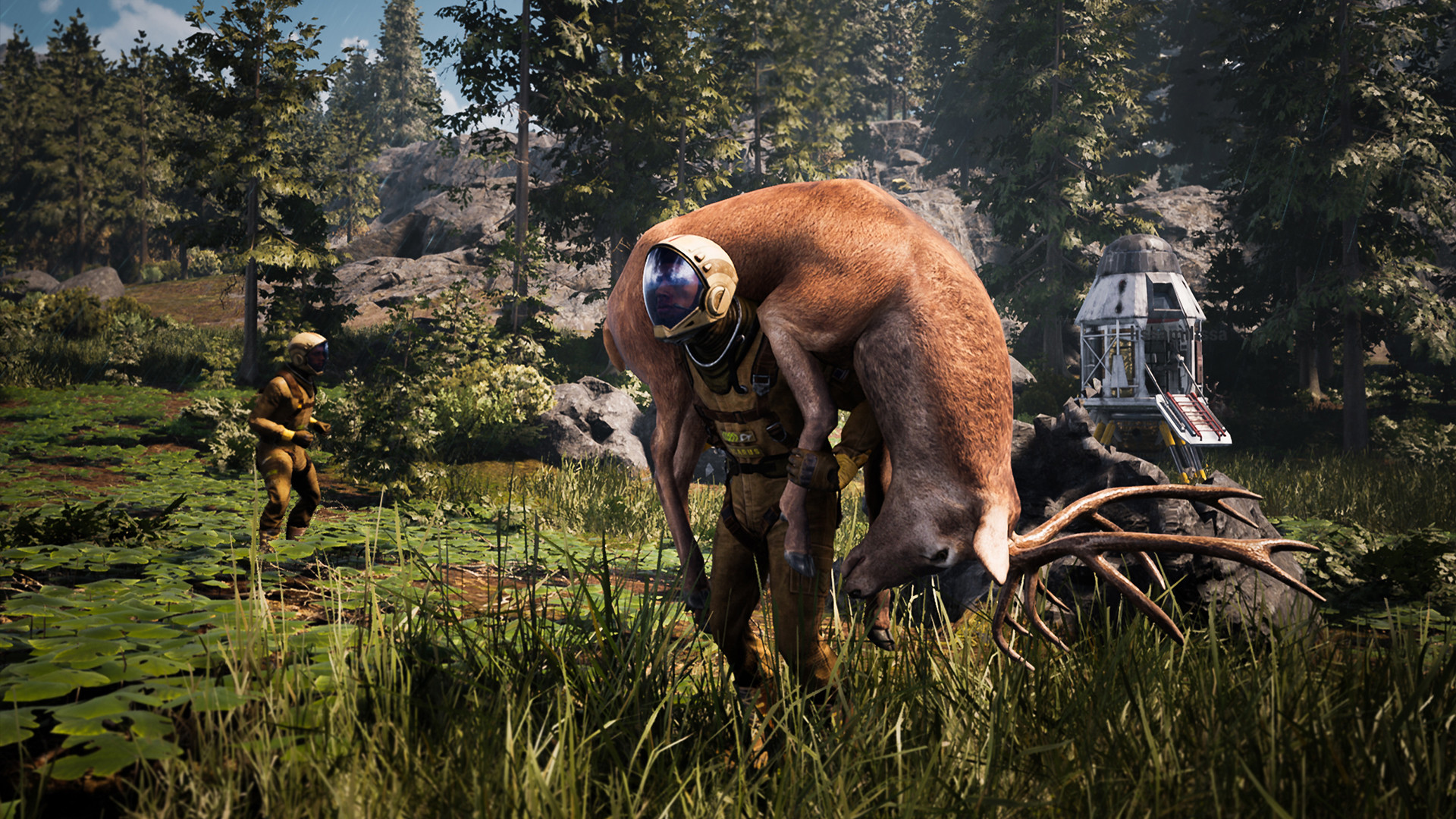
ICARUS — is a shareware online survival action adventure game about astronauts from the creator of DayZ. In the game you will go to conquer an unknown planet, which is fraught with many secrets and dangers. The action will unfold mainly on the life-threatening planet Icarus. This is where a group of Prospectors goes in search of valuable resources. After collecting resources, the characters will have to return to the orbital station. In addition, the game will have two technology trees: one on the planet and the other in orbit. The time you can spend on Icarus will be extremely limited, and therefore you will have to act as quickly as possible. The game is positioned as a survival simulator with an emphasis on PvE for a company of up to eight people inclusive, but it can also be played alone.

NOTE. Uploaded version: 7 May 2025 [v2.2.53.136221] + Update v2.2.59.138676. This is Full release and latest version of game. The game is already Packaged in ISO File and ready to run the game after install, read the instruction below.

Game is updated, the following DLCs are included:

  • Icarus: New Frontiers Expansion
  • Icarus: Holdfast Outpost
  • Icarus: Iceholm Outpost
  • Icarus: Styx Expansion
  • Icarus: Interior Decorations Pack
  • Icarus: Tecton Outpost
  • Icarus: Everbark Outpost
  • Icarus: Cactus Outpost
  • Icarus: Arcticus Outpost
  • Icarus: Industrial Furniture Pack
  • Icarus: Art Deco Furniture Pack
  • Icarus: Creature Comforts Pack
  • Icarus: Pet Companions Pack
  • Icarus: Zebra Rescue Mission

Players will start the match in a space station off the unexplored planet Ikarus. Their main goal will be to explore the planet and collect resources. Unlike other survival games, outings into the wasteland are limited in time. As in Escape From Tarkov or The Cycle, only without normal equipment and often much longer. The planet is similar to the Earth it has been partially reshaped for a human, but the terraforming has failed due to the planet’s valuable resources. Therefore, there will be quite familiar biomes, but also harsh terrains. On expeditions, players will be able to create tools, build roads, bridges and other infrastructure to transport valuables from the planet.

At first, the level of technology will be at the level of primitive people. Since the planet is only partially prepared for settlement, the pioneers themselves need to deal with food, water and oxygen supply, as well as protect themselves from wild animals and other troubles. The quality of training depends on the level of development of the orbital station. In an artistic form, all the details of the game are revealed in a short film from the team of Dean Hall.

System Requirements

MINIMUM:
OS: Windows 10 (64-bit versions)
Processor: Intel i5 8400
Memory: 16 GB RAM
Graphics: Nvidia GTX 1060 6GB
DirectX: Version 11
Network: Broadband Internet connection
Storage: 70 GB available space

RECOMMENDED:
OS: Windows 10 (64-bit versions)
Processor: Intel i7-9700
Memory: 32 GB RAM
Graphics: NVIDIA RTX 3060ti
DirectX: Version 11
Network: Broadband Internet connection
Storage: 70 GB available space

Screenshots
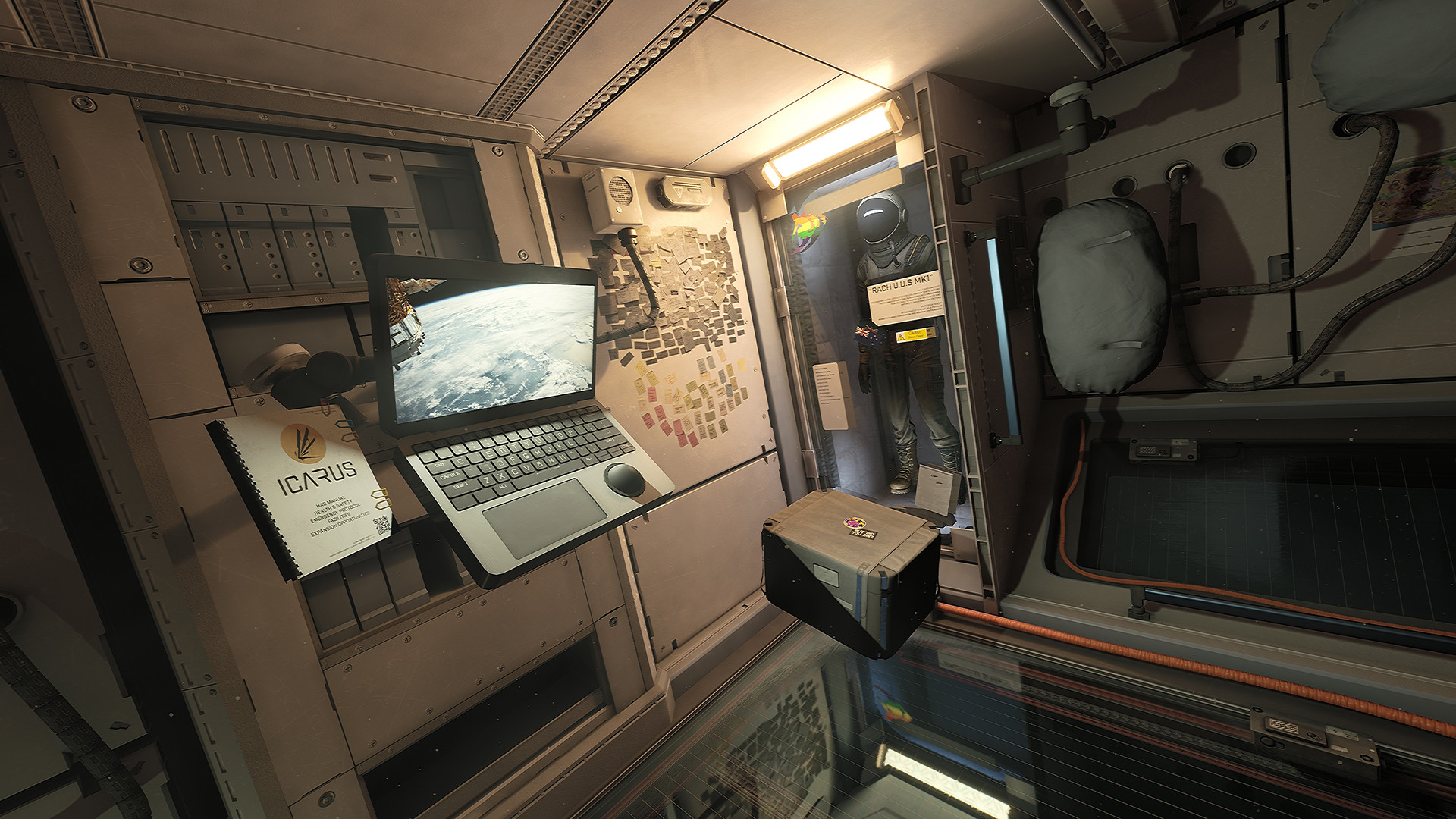
ICARUS (TENOKE): Update v2.2.59.138676 gameplay screenshot 1
ICARUS (TENOKE): Update v2.2.59.138676 gameplay screenshot 2
ICARUS (TENOKE): Update v2.2.59.138676 gameplay screenshot 3

Gameplay Trailer

How to Install

  1. Download the Full game ICARUS.v2.2.53.136221-TENOKE through torrent.
  2. Mount the Full ISO-image game in the «UltraISO».
  3. Install the game on you PC, wait for 100% installation.
  4. Copy all files of the folder «TENOKE» in game folder.
  5. Download and install Update v2.2.59.138676, in game folder. (how to Update the game)
  6. Lock the game folder in the Windows firewall.
  7. Play!

Download update only: ICARUS.Update.v2.2.59.138676-TENOKE [ 4.4 GB ]

  1. Extract.
  2. Run Update\PATCH.exe and install the update.
  3. Copy crack to install dir.
  4. Play!

Download update only: ICARUS.Update.v2.2.41.132936-TENOKE [ 4.7 GB ]
Download update only: ICARUS.Update.v2.2.33.130975-TENOKE [ 1.3 GB ]
Download update only: ICARUS.Update.v2.2.30.130308-TENOKE [ 850.7 MB ]
Download update only: ICARUS.Update.v2.2.29.129911-TENOKE [ 1.3 GB ]
Download update only: ICARUS.Update.v2.2.27.129232-TENOKE [ 795.2 MB ]
Download update only: ICARUS.Update.v2.2.25.128673-TENOKE [ 1.1 GB ]
Download update only: ICARUS.Update.v2.2.24.128526-TENOKE [ 2.9 GB ]
Download update only: ICARUS.Update.v2.2.22.127885-TENOKE [ 1.6 GB ]
Download update only: ICARUS.Update.v2.2.21.127494-TENOKE [ 1.5 GB ]
Download update only: ICARUS.Update.v2.2.19.126872-TENOKE [ 1.21 GB ]
Download update only: ICARUS.Update.v2.2.18.126568-TENOKE [ 563.5 MB ]
Download update only: ICARUS.Update.v2.2.17.126344-TENOKE [ 786.1 MB ]
Download update only: ICARUS.Update.v2.2.16.125988-TENOKE [ 640 MB ]
Download update only: ICARUS.Update.v2.2.14.125372-TENOKE [ 835.6 MB ]
Download update only: ICARUS.Update.v2.2.13.125172-TENOKE [ 813 MB ]
Download update only: ICARUS.Update.v2.2.12.124800-TENOKE [ 341 MB ]
Download update only: ICARUS.Update.v2.2.11.124669-TENOKE [ 484 MB ]
Download update only: ICARUS.Update.v2.1.26.121209-TENOKE [ 500 MB ]
Download update only: ICARUS.Update.v2.1.25.121153-TENOKE [ 384.5 MB ]
Download update only: ICARUS.Update.v2.1.24.120925-TENOKE [ 385.2 MB ]
Download update only: ICARUS.Update.v2.1.23.120788-TENOKE [ 398.9 MB ]
Download update only: ICARUS.Update.v2.1.21.120319-TENOKE [ 420.6 MB ]
Download update only: ICARUS.Update.v2.1.20.120106-TENOKE [ 697.5 MB ]
Download update only: ICARUS.Update.v2.1.19.119802-TENOKE [ 778.9 MB ]
Download update only: ICARUS.Update.v2.1.18.119581-TENOKE [ 465.1 MB ]
Download update only: ICARUS.Update.v2.1.16.119362-TENOKE [ 1.4 GB ]
Download update only: ICARUS.Update.v2.1.15.119165-TENOKE [ 1.82 GB ]
Download update only: ICARUS.Update.v2.1.14.118795-TENOKE [ 545 MB ]
Download update only: ICARUS.Update.v2.1.13.118586-TENOKE [ 291 MB ]
Download update only: ICARUS.Update.v2.1.11.118569-TENOKE [ 290 MB ]
Download update only: ICARUS.Update.v2.1.10.118570-TENOKE [ 356 MB ]
Download update only: ICARUS.Update.v2.1.9.118433-TENOKE [ 390 MB ]
Download update only: ICARUS.Update.v2.1.8.118221-TENOKE [ 625.5 MB ]
Download update only: ICARUS.Update.v1.3.11.114779-TENOKE [ 625.5 MB ]

Download ICARUS (TENOKE): Update v2.2.59.138676

SIZE: 45.8 GB | Downloads: —
How to get your file — 3 quick steps
VPN detected. Our download does not accept VPN connections. Please disable your VPN to continue.
Re-check
1
Click download
Use any button below
2
Install Opera
On the page that opens
3
Get your file
.torrent unlocks here
Download file
Switch to the tab that just opened — Opera installer is already there. After install, open this page in Opera and click Check install.
Opera not detected. Make sure it's installed and open this page in Opera browser, then click Check install again.
Opera is a free, official browser by Opera Software AS — safe to install. [ Opera Install Guide ]

Alternative Mirrors

Searching mirrors…
Name
Size
Seeds
Leeches

Game Update History

  • ICARUS v2.2.53.136221 → Update v2.2.59.138676 [ 18.06.2025 ]
  • ICARUS v2.2.41.132936 → v2.2.53.136221 [ 07.05.2025 ]
  • ICARUS v2.2.33.130975 → Update v2.2.41.132936 [ 11.02.2025 ]
Rate This Game

Leave a review — how was the game?
Report issues — bugs, crashes, errors?
Ask questions — need help?
Your input makes the game better!

Comments 4

  1. MaGamers Offline 21 August 2023 06:13
    Changelog v1.3.11.114779
     
    New Content
    Setting up T3 Masonary Bench, Assets, Talents, Recipes, Icons, Animations
    T3 Masonary Bench Proxy Meshes Fixed Collision
    Added T3 Masonary Bench Proxy Meshes, Textures & Material
    Setting up T3/4 Anvil Benches, Assets, Talents, Recipes, Icons, Animations (Dev Locked for now)
    T4 Anvil - fix and reimport of output proxies to correct position and avoid stacking
    T4 Anvil - added destructible mesh
    Adding Charcoal steel bloom alternate recipes
    Adjusting all arrow and bolt recipes to craft 5 arrows or bolts, reducing recipes cost for the higher tier arrows and bolts
    Removing Tool / Weapon Recipes from the Machining Bench and Fabricator and placing them on the T3/T4 anvil Benches
    Removed unused references on T3 anvil destructable mesh
    Adding T4 Anvil bench impact sound, start / loop / end event, BP imp and data table entry
    Using parent class logic to replicate audio for anvil t3 instead of creating new logic. Simplified BP setup
    Set up start / loop / stop event to play when Anvil T3 is activated. Set replication to play for clients
    Added text for Forge, Foundry, and Masonry benches
    Updated name of the T3 Masonry Bench to Advanced Masonry Bench to differentiate it from the T2 bench
    --------------------
    Make a Small Donation ❤️
  2. MaGamers Offline 9 December 2023 04:12
    Changelog v2.1.8.118221
     
    New Content
    Unlocking Raw Wood Signs
    Adding Armor Icons into the Inventory Paper Doll
    Added binding to carcasses to drop them
    Updated the usability of the light and G slot items. Items now have an icon for their respective slots, and G slot items have an in-world tooltip that changes to red if you are unable to pick them up


    Fixed/QoL
    T4 Anvil - disabled yellow/black decal material that was showing through walls
    T4 Anvil - proper fix for yellow/black decals - using ITM shader and offset geometry to prevent Z fighting
    Fixed a bug causing the C0NT4CT device to play audio when loading the game or approaching from multiple tiles away
    Updated respawn message to mention losing equipment instead of respawn penalty (as there is no XP lost on death)
    Updated death overflow bag highlightable, so it now shows as the remains of a fallen prospector
    Updated polar bear rug gfur setting to be more stable when physics are settling
    Removed physics on Gfur for grizzly and polar bear rugs
    Halved the spawn rate of voxel and plant based exotics in Open World, as these spawns add repeatedly so will increase each time if not gathered
    Updated all fish textures from the small texture group to the medium texture group
    Replaced green mount tame icons with white icons
    Lowered opacity of light/g slot background
    Show bulky slot icon on mount's bulky slot(s)
    Hide in-world bulky slot on shields (as these can go in normal inventory slots)
    Fixing issue where art deco vase destructible mesh was incorrect (it was the vault)
    Adding delivery pod door open and close. Hooking up close animation to play when leaving, Also adding fixing armour repair audio to data table
    Prevent meteor showers from potentially occuring before the world has completely loaded
    Fix light slot toggle for clients in improved hotbar UI
    Update in-game reference to Styx Expansion DLC to correctly be named Styx Expansion DLC
    Fix light and bulky slot icons on items for inventories in crates.
    Fixed seed pouch not receiving picked up seeds after loading a prospect.
    Fixed seed pickup totals being shown incorrectly on HUD.
    Fixed/Re-enabled Take All button in seed pouch.
    Added hint to map screen to add or remove marker.
    Add building deconstruct hint to hammers
     
    --------------------
    Make a Small Donation ❤️
  3. MaGamers Offline 16 December 2023 04:48
    Future Content
    Updated spawn groups for cave templates
    General Polish Pass & updated cave templates Ice Sheet Yellow Quad on Prometheus
    Cliff Polish Pass and Decal Pass, Ashlands, Prometheus
    Adding chicken idle audio, event and data table entry
    Added text for the water purifier items
    Added destructible and mesh to supporter flag and sign
    Resave stats DT
    Modified text for Ice building pieces
    Added text for biolab consumables
    Added text for biomass items
    Turret Prototype Expose Min/Max Pitch and Yaw as Stats
    Updated no foliage cave templates
    Fur Curtain Door implementation
    Cliff polish pass, Ashlands, Prometheus
    General Polish Pass & updated cave templates Ice Sheet Yellow Quad on Prometheus
    Added DEP_Battery_Small and DEP_Battery_Large
    More backend for fieldguide: Small refactor to the way some one off items are hidden
    Cliff Polish Pass and Landscape Sculpting Pass, Ashlands, Prometheus
    More backend for fieldguide: Knives corpse can be skinned with
    More backend for fieldguide: Corpse skinning knife rewards, corpse skinning bench rewards, corpse vestige
    More backend for fieldguide: Ammo for item, Workshop cost for item, Items requiring same talent
    Field Guide begin UI refactor. Componentize FieldGuide Itemable. Add Workshop Cost Widget
    Field Guide reparent pages to page class, items to item class
    Field Guide Ammo subpage
    Added DEP_Battery_Rack_Small and DEP_Battery_Rack_Large
    Field Guide Food/Trophies subpage
    Field Guide Ranged subpage
    General Polish Pass & updated cave templates Ice Sheet Yellow Quad on Prometheus
    Cliff Polish Pass and Landscape Sculpting Pass, Ashlands, Prometheus
    Field Guide fix typo in variable and layout names before it spreads to (vestage => vestige)
    Field Guide corpse sub page
    Field Guide begin UI refactor. Componentize FieldGuide Recipe or workshop cost. Componentize Uses. Add Resource Network widget
    Added first pass of mount talent trees
    Updated cave worm groups & spawns for NF templates, Ice Sheet in Yellow Quad on Prometheus
    Update costs on Larkwell Tachyon armor set
    Cliff Polish Pass and Landscape Sculpting Pass, Ashlands, Prometheus
    General Polish Pass & updated cave templates Ice Sheet Yellow Quad on Prometheus
    --------------------
    Make a Small Donation ❤️
  4. MaGamers Offline 18 June 2025 07:38
    Hotfix Changelog v2.2.59.138676
    Fixed issue where players could not start many missions due to the the menu mission list lacking upgrades as if it was an open world mission board.
     
     
    Changelog v2.2.59.138512
     
    New Content
    All Character Flag Rewards from Missions are now Account Flags, when loading in with a character a conversion process occurs
    Adding Blueprints for All Account Blueprint Unlocks from Missions so they items are no longer hidden in the tech tree
    Adjusting quests to grant the correct account flags during missions as opposed to the character flags that where granted before
    Split out some of the items granted from missions and spread them out amoungst the mission trees (for example one mission was granting 6 items before -> now the mission grants 2, and the other 4 are granted from other missions)
    --------------------
    Make a Small Donation ❤️
Download45.8 GB