
FINAL FANTASY XV POCKET EDITION
- RUNE
- v1.1.605.2
- FREE DOWNLOAD
- TORRENT
- NEW GAME
Game Update History1 updateLast: 11.10.2026 · 1 month ago
- 11.10.2026v1.1.605.2current
Data from the MaGamers update log · information may be outdated
About The Game
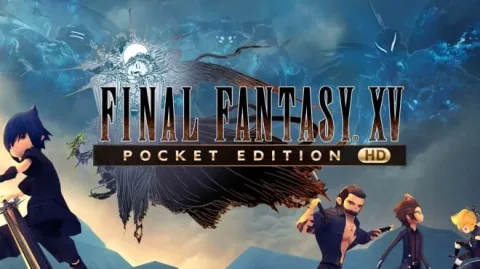
The famous road trip of Prince Noctis gets a small and cute second life in FINAL FANTASY XV POCKET EDITION. Square Enix remade its big role playing adventure with tiny stylized characters while keeping the whole story intact. The big world becomes a series of small maps that keep the famous places and shrink the distances. The journey follows the prince and his three loyal friends as they drive toward his wedding and straight into a war that swallows their kingdom. Lunafreya waits at the end of the road and the promise between them carries the whole plot. Every major chapter of the saga is here from the stolen city to the long road of trials. The light tone hides a heavy ending which surprises many players. The friendly look makes the heavy story easier to follow for players who never touched the original. On this page you can check the system requirements and browse screenshots and gameplay videos.
Travel flows in short episodes. Each chapter condenses a huge piece of the original into a focused run of scenes battles and easy side tasks. Combat is simple to learn with light attacks special moves and commands for the three companions. Each companion has a role in battle and switching tactics between them keeps fights fresh. Camping cooking and small hunts still reward the party with bonuses between chapters. The cooking system returns in a lighter form and every meal gives small helpful buffs. The run feels light enough for an evening session yet the ending hits with the same weight as the big version. Cutscenes run in the cute style which softens the hardest moments for younger viewers. In this hub you always see the latest version and fresh patch notes describing what the developers changed. Side chats between the boys keep the humor alive on long roads.
NOTE. Uploaded version: 11 October 2026 [v1.1.605.2]. This is Full Release and latest version of game. The game is already Packaged in ISO File and ready to run after install, read the instruction below.
We have fully ported the old UWP emu from C++/CX to C++/WinRT, plus some additions and bug fixes. This crack should be future-proof for upcoming Windows updates. If the game does not start, try installing it to a non-encrypted drive instead. Always launch the game from the Windows start menu entry! You can also make a desktop shortcut by drag and dropping the game list entry in start menu to your desktop. The game has a weird controller bug that causes heavy stuttering when playing with specific controllers. We tried to mitigate that by disabling KB/M input when a controller is connected / when controller input is detected.
This fixes the stuttering. If you don’t like this feature, or if KB/M input is not working even though no controller is connected, you can disable it in «uwp_emu.xml» by setting «ControllerFix» to false. Note that this can cause stuttering again if you use one of those weird controllers. If you do not tick the «Copy contents of RUNE directory to installdir» checkbox, the game must be manually registered by starting «InstallApp.exe». If you tick the «Do not create uninstaller and do not write any specific system info» checkbox, the game must be manually unregistered by either uninstalling the game via Windows settings, or by starting «InstallApp.exe» with /uninstall argument.
Minimum:
Requires a 64-bit processor and operating system
OS *: Windows® 7 SP1/ Windows® 8.1 / Windows® 10 64-bit
Processor: Intel® Core™ i5-2500(3.3GHz and above)/ AMD FX™-6100 (3.3GHz and above)
Memory: 8 GB RAM
Graphics: NVIDIA® GeForce® GTX 760 / NVIDIA® GeForce® GTX 1050 / AMD Radeon™ R9 280
DirectX: Version 11
Storage: 100 GB available space
Sound Card: DirectSound® compatible sound card, Windows Sonic and Dolby Atmos support
Additional Notes: 720p 30fps
Recommended:
Requires a 64-bit processor and operating system
OS *: Windows® 7 SP1/ Windows® 8.1 / Windows® 10 64-bit
Processor: Intel® Core™ i7-3770(3.4GHz and above)/ AMD FX™-8350(4.0 GHz and above)
Memory: 16 GB RAM
Graphics: NVIDIA® GeForce® GTX 1060 6 GB VRAM / Radeon™ RX 480
DirectX: Version 11
Storage: 100 GB available space
Sound Card: DirectSound® compatible sound card, Windows Sonic and Dolby Atmos support
Additional Notes: 1080p 30fps
Screenshots


Gameplay Trailer
How to Install
1. The first thing we do is download the game's installation files.
2. Unzip the archive to the hard disk.
3. Mount or burn the ISO image in the disk emulator (UltraISO program).
4. After mount ISO, go to the folder and run the file «setup.exe».
5. During the installation, we specify the location on the disk where we want to install it.
6. Copy the contents of the folder «RUNE» in the folder with the game.
7. At the end of the unpacking process, a shortcut appears on the desktop.
8. Launch the game!


Comments 0