How to Download Torrent Games for PC
This guide explains the complete torrent download workflow on MaGamers: choosing the correct game version, opening a torrent or magnet link, selecting a download folder, and preparing the downloaded files for installation. The exact files can differ between releases, so always read the instructions on the individual game page first.
What You Need
- A torrent client from its official website, such as qBittorrent or another client you trust.
- Enough free disk space for both the downloaded files and the installed game.
- The correct game listing and version for your system.
- An archive extractor if the files are provided as ZIP, RAR, or 7Z.
- Permission to access and download the content in your location.
Step 1: Check the Game Page
Read the title, version, build number, included DLC information, system requirements, language details, and installation notes. If you already have the game installed, confirm whether you need the complete release or only a separate update from the PC Game Updates section.
Step 2: Open the Torrent or Magnet Link
- Scroll to the download area on the game page.
- Select the torrent file or magnet link that belongs to the version described on the page.
- Allow your torrent client to open the link.
- Review the file list and total size before confirming.
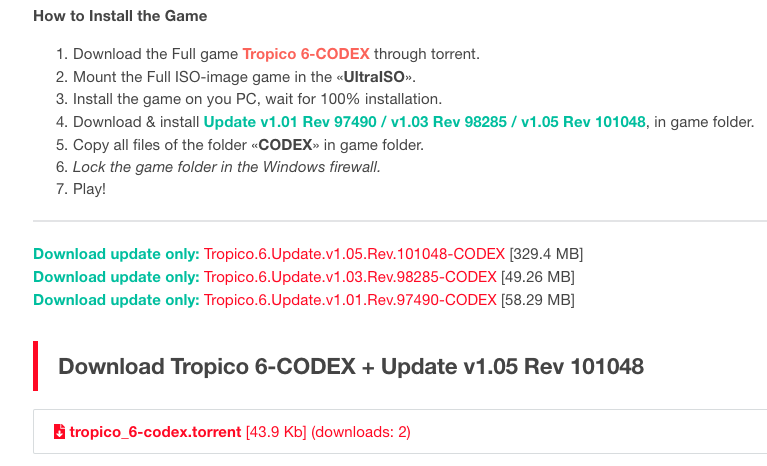
Step 3: Choose a Download Folder
Select a drive with enough free space and use a short, clear folder path. Avoid protected Windows folders such as Program Files for the initial download. If the torrent contains optional language packs or bonus files, deselect only items the release instructions explicitly mark as optional.
Step 4: Wait for Completion
Do not install from an incomplete download. Wait until the client reports 100%, then pause the torrent if you want to inspect the files before opening them. If speed is unexpectedly low, compare seed availability, pause other network activity, or follow the VPN and download troubleshooting guide.
Step 5: Identify the Downloaded File Type
- ZIP, RAR, or 7Z: extract the archive before running installers or opening included instructions.
- ISO: mount the image in Windows, then open the virtual drive.
- Installer folder: read the included instructions and run the correct setup file.
- Update package: confirm the required starting version and patch order before applying it.
Common Problems
The torrent does not start
Check whether the torrent has active seeds, restart the client, allow the client through your firewall, and try the magnet link if both options are available.
The download is complete but files will not open
Confirm the extension. Extract archives fully instead of opening installers from inside the archive. Mount ISO files rather than extracting them unless the instructions explicitly say otherwise.
Antivirus reports a threat
Stop and review the detection. Do not disable protection automatically. Use the file source, detection name, digital signature, hashes when provided, and a second scan to make an informed decision.
There is not enough disk space
Remember that installation often requires significantly more space than the compressed download. Free space on both the download drive and the final installation drive.
Related MaGamers Guides
- Extract ZIP, RAR, and 7Z files — open compressed game files correctly
- Mount an ISO file in Windows — open disc images without additional software
- Update a PC game safely — apply patches in the correct order
- Review an antivirus detection — check a flagged file without disabling protection blindly
- How torrent downloads work — understand seeds, peers, privacy, and legal considerations