
PC Game Troubleshooting: Installation, Launch, and Error Fixes
Game will not install, launch, save, or run correctly? Start here. This troubleshooting hub helps you identify the type of problem, collect useful diagnostic information, and move to the right detailed guide without changing random Windows settings or downloading unknown DLL files.

Quick Diagnostic Checklist
- Confirm the game version and read the installation notes on its MaGamers page.
- Check that Windows meets the listed system requirements and has current updates.
- Install the current graphics driver from NVIDIA, AMD, or Intel. If crashes began after a driver update, consider rolling back to the previous stable driver.
- Confirm there is enough space on both the installation drive and the Windows system drive.
- Use a short installation path with standard Latin characters, for example
D:GamesGameName. - Close overlays, monitoring tools, RGB utilities, and recording software temporarily.
- Return CPU, GPU, and RAM overclocks or undervolts to default settings for testing.
- Review Windows Security Protection History instead of disabling protection blindly.
- Restart Windows after installing runtimes, drivers, or a large update.
- Test the game without mods before troubleshooting the base installation.
Identify the Stage That Fails
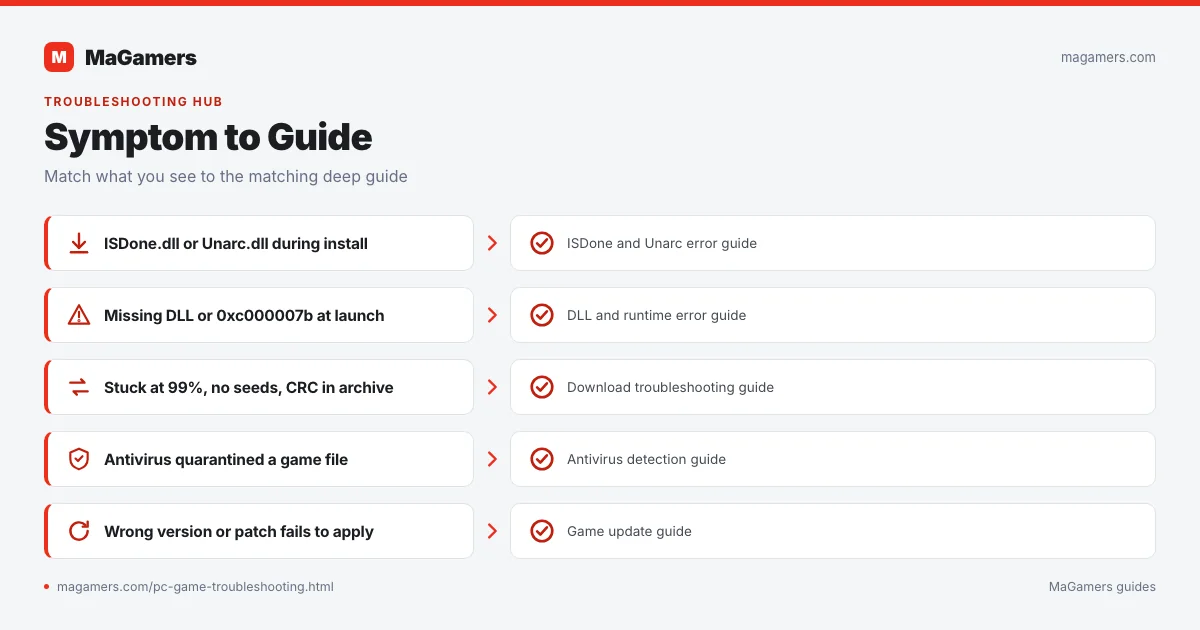
| Stage | Typical symptoms | Best next step |
|---|---|---|
| Download | No seeds, 99%, stalled or incomplete file | Download troubleshooting |
| Extraction | CRC, next volume, corrupt archive, password | Archive extraction guide |
| Installation | ISDone.dll, Unarc.dll, installer freezes | ISDone/Unarc guide |
| Launch | Missing DLL, 0xc000007b, process closes | DLL and runtime guide |
| Security | File quarantined or blocked | Antivirus detection guide |
| Update | Wrong version, patch fails, files mismatch | Game update guide |
Installation Errors
ISDone.dll or Unarc.dll error
These messages usually indicate that the installer could not read, decompress, verify, or write part of the package. The error code matters. Check archive integrity, multipart files, free space, RAM stability, the page file, installation path, and drive health. Do not download replacement DLL files from random DLL websites.
Installer freezes or closes
Wait several minutes before assuming it is frozen, especially during large decompression stages. Monitor disk and CPU activity in Task Manager. Close heavy background applications, verify free space, and retry from a short local path.
CRC or checksum mismatch
The downloaded data does not match what the installer expects. Recheck the torrent or download the damaged archive part again. Reinstalling runtimes will not repair corrupt compressed data.
Game Does Not Launch
Nothing happens after opening the game
Check Task Manager to see whether the process appears and closes. Review the game folder for logs, Windows Event Viewer for an application error, and Protection History for quarantined files. Test without mods and overlays.
The game opens Steam, Epic, or another launcher
Read the release notes. Some packages are official installers that require ownership in the corresponding store. A launcher opening does not automatically mean Windows is broken.
Activation or license message
Confirm whether the listing describes a complete playable release or an official distribution that requires a valid account or license. MaGamers cannot provide activation credentials.
Crashes, Freezes, and Black Screens
- Update or roll back the graphics driver depending on when the issue began.
- Disable overlays from Discord, Steam, GeForce Experience, Xbox Game Bar, and monitoring tools for testing.
- Return overclocks, undervolts, and custom MSI Afterburner profiles to defaults.
- Check CPU and GPU temperatures under load.
- Reduce graphics settings and disable frame generation or ray tracing temporarily.
- Verify available RAM and let Windows manage the page file unless the game has a documented requirement.
- Remove mods and custom configuration files before testing again.
Missing DLL and Runtime Errors
Errors mentioning MSVCP, MSVCR, VCRUNTIME, XINPUT1_3.dll, 0xc000007b, or 0xc0000142 commonly involve missing or damaged runtime packages, a 32-bit/64-bit mismatch, or altered system files. Install official Microsoft components rather than downloading individual DLL files from unknown websites.
Download and Archive Problems
Torrent stops at 99%
Wait for a complete seed, run a force recheck, confirm free disk space, and check whether security software quarantined a partially written file. Do not assume every 99% problem has the same cause.
Multipart RAR files
Keep every .part file in the same directory and start extraction from the first part. “Next volume required” usually means a part is missing, renamed, or incomplete.
Archive asks for a password
Use only the password shown on the original game page or included instructions. Do not install password-removal utilities from unrelated websites.
Save, Language, and Audio Issues
Game does not save
Check write permissions, Controlled Folder Access, available space, and whether the save path is under Documents, Saved Games, AppData, or a launcher-specific folder. Back up saves before changing folders or versions.
Language is incorrect
Use the in-game setting first. Then read the game page for release-specific language instructions. Do not edit random configuration files unless the listing identifies the correct file and accepted values.
No sound or voices
Confirm the correct Windows output device, per-app volume, audio driver, speaker format, and whether optional language or voice files were installed.
How to Ask for Help
A useful support request includes enough context to reproduce or classify the problem. Copy this checklist into your comment:
Game title and version: Windows version and build: CPU / GPU / RAM: Exact error message or code: When the error appears: Installation path: Steps already tried: Mods, overlays, or overclocking: Screenshot or log link:
Related MaGamers Guides
- Fix ISDone.dll and Unarc.dll errors — diagnose decompression and installer failures
- Fix missing DLL and 0xc000007b errors — repair runtime and architecture problems
- Review antivirus detections — check quarantined files safely
- Update a PC game safely — resolve version and patch-order problems
- PC game download guide — fix incomplete transfers and prepare files