
Woodo

- TENOKE
- Build 25368170
- FREE DOWNLOAD
- TORRENT
- NEW GAME
About The Game
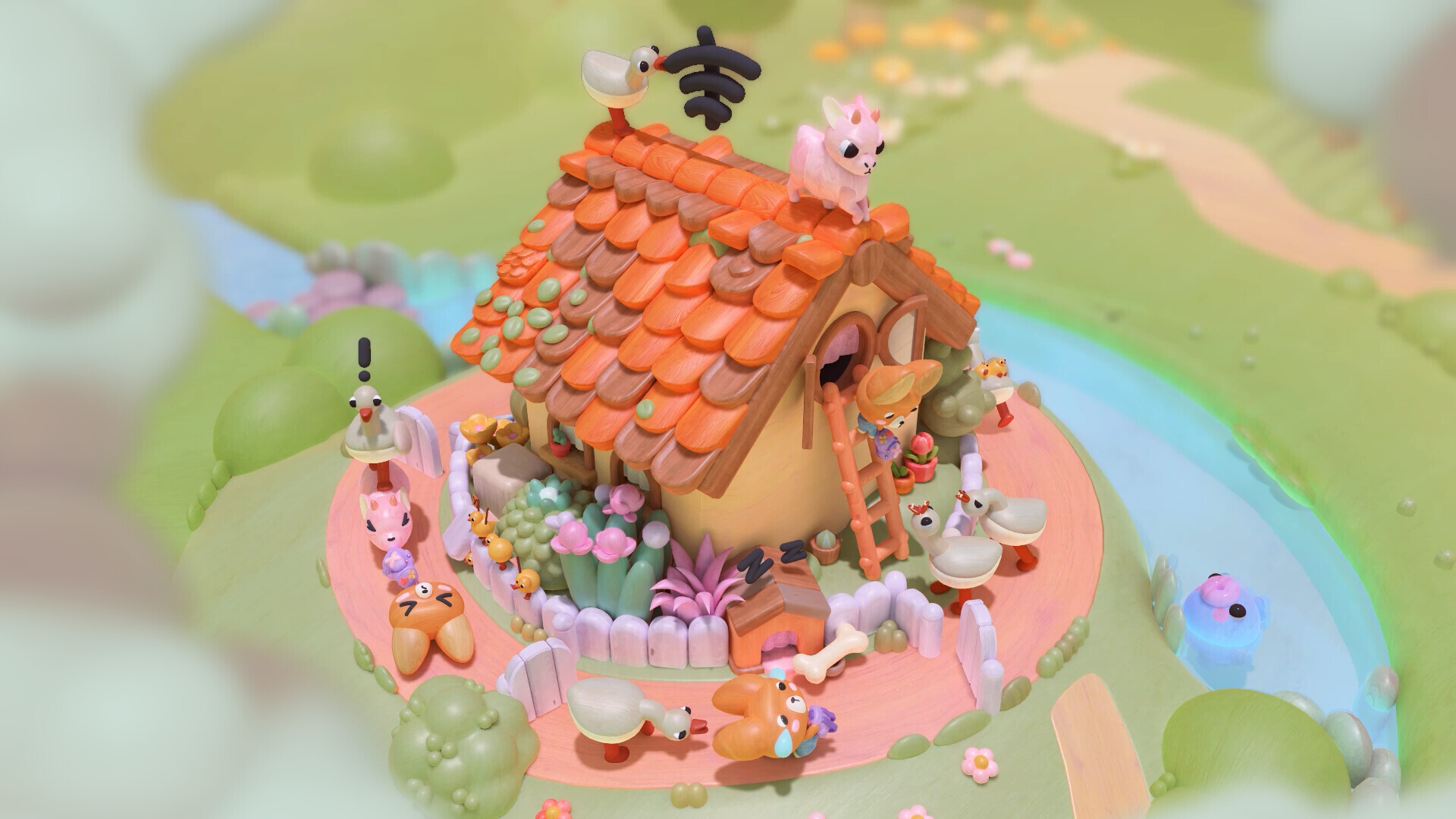
Woodo is a casual indie puzzle game developed by Tiny Monks Tales in which you assemble 3D wooden dioramas piece by piece. The plot of the game tells about the joint outdoor adventures of Foxy the fox and Ben the frog, awakening in the player nostalgia for a carefree childhood. A reassuring voice of the narrator accompanies the journey, and the gameplay naturally adapts to the development of the plot.
To complete the game, you need to rotate each scene in three dimensional space to discover hidden objects and place them in the right places. Each detail clicks into place with a distinctive, toy like click, gradually filling the world with vibrant colors and animated animation. Designed to be a relaxing solo adventure, the game adapts to your pace and offers built-in hints when you need help finding the next piece.
NOTE. Uploaded version: 17 September 2026 [Build 25368170]. This is Full Release and latest version of game. The game is already Packaged in ISO File and ready to run after install, read the instruction below.
System Requirements
Minimum:
Requires a 64-bit processor and operating system
OS: Windows 10 (64bit)
Processor: AMD Ryzen 5 3400g / Intel Core i5-9400
Memory: 4 GB RAM
Graphics: AMD Radeon RX 560 (4 GB) / NVIDIA GeForce GTX 1050 Ti (4 GB)
DirectX: Version 11
Storage: 2700 MB available space
Recommended:
Requires a 64-bit processor and operating system
OS: Windows 11 (64bit)
Processor: AMD Ryzen 5 5600X / Intel Core i5-12400F
Memory: 8 GB RAM
Graphics: AMD Radeon RX 5600 XT / NVIDIA GeForce RTX 2060
DirectX: Version 12
Storage: 2700 MB available space
Screenshots


Gameplay Trailer
How to Install
1. The first thing we do is download the game's installation files.
2. Unzip the archive to the hard disk.
3. Mount or burn the ISO image in the disk emulator (UltraISO program).
4. After mount ISO, go to the folder and run the file «setup.exe».
5. During the installation, we specify the location on the disk where we want to install it.
6. Copy the contents of the folder «CRACK» in the folder with the game.
7. At the end of the unpacking process, a shortcut appears on the desktop.
8. Launch the game!
Download Woodo
Alternative Mirrors
Helpful Guides
Game Update History
- Woodo → Build 25368170 [ 17.09.2026 ]



Comments 0