
20,232 games • 174 updates this week • 4,740 users

Cloud Gardens v1.2.3
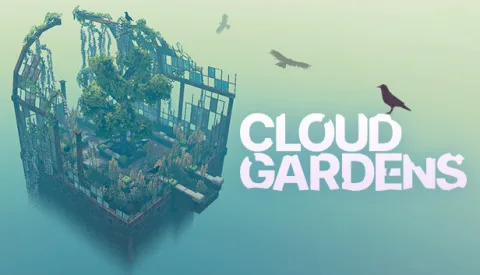
Cloud Gardens v1.2.3 cover art
4.3
...
User Verdict
Based on 73 community votes
  • Chronos
  • 1.2.3
  • FREE DOWNLOAD
  • TORRENT
  • DIRECT LINK
  • UPDATED
Support the developers by purchasing the gameGet it on Steam
Updated Version 1.2.3

About The Game

Cloud Gardens — the range of locations here is simply impressive. Abandoned hangars and various industrial buildings, huge pipelines around which there is only dirt and dullness, an abandoned lighthouse and everything like that all this is not a complete list of what will be at your disposal. At the very beginning, each such location will look very gray and ugly, but after your penetration into the area, and after carrying out a number of processes, you can see how this place is being transformed and gaining beauty, vitality, and more. Before you can blink an eye, the gray area, strewn with rust and dirt, will be covered with greenery, foliage of trees, falling vines.

The atmosphere in Cloud Gardens is simply indescribable. The whole process is accompanied by a beautiful track, birds fly in the sky, nature plays with the weather, and even the greenery that covers everything around all this creates a wonderful atmosphere that you can just enjoy. By the way, you can play this game in several modes —here are both typical for such projects levels for passing, and a regular sandbox mode.

MINIMUM:
Requires a 64-bit processor and operating system
OS: Windows 8+
Processor: 2.4GHz Dual Core
Memory: 1 GB RAM
Graphics: 512 MB NVIDIA GeForce 9800 / ATI Radeon HD 2600 XT
DirectX: Version 10
Storage: 300 MB available space

RECOMMENDED:
Requires a 64-bit processor and operating system
OS: Windows 10+

Screenshots

Cloud Gardens v1.2.3 gameplay screenshot 1
Cloud Gardens v1.2.3 gameplay screenshot 2
Cloud Gardens v1.2.3 gameplay screenshot 3

Gameplay Trailer

How to Install

  1. Download the game files through torrent.
  2. Run the installation file «[gamename].setup.exe», follow the instructions.
  3. Choose a place on the disk, where the game will be installed.
  4. Wait for the notification that the game is installed.
  5. Сlick on the label of the game, Play!

To Fix Game not loading issue:

  1. Download Fix and Extract to the game folder.
  2. Go To %UserProfile%\Appdata\LocalLow\noio\Cloud Gardens and Create folder named «Save».
  3. Run the game and Enjoy. 

Download fix only: Cloud.Gardens-fix.zip

Download Cloud Gardens v1.2.3

SIZE: 160 MB | Downloads: —
How to get your file — 3 quick steps
VPN detected. Our download does not accept VPN connections. Please disable your VPN to continue.
Re-check
1
Click download
Use any button below
2
Install Opera
On the page that opens
3
Get your file
.torrent unlocks here
Download file
Switch to the tab that just opened — Opera installer is already there. After install, open this page in Opera and click Check install.
Opera not detected. Make sure it's installed and open this page in Opera browser, then click Check install again.
Opera is a free, official browser by Opera Software AS — safe to install. [ Opera Install Guide ]

Alternative Mirrors

Searching mirrors…
Name
Size
Seeds
Leeches
Discussion · Cloud Gardens v1.2.3

Comments 2

  1. MaGamers Offline
    Additional Changes and Bug Fixes

    In addition to the main new features, we've made a ton of smaller quality of life changes, as well as squashed a whole host of bugs. We want to give extra special thanks to our community of testers* on Discord who really showed up for this update and gave us a ton of feedback on early builds. Their testing helped us make the update the best it could be, and we're very grateful for them.

    If you'd like to join our Discord, and have the chance to play early content then please join us here:

    Changes
    • Added: Undo Button in Chapter Mode that lets players return the last prop they used.
    • Added: Circular Greenhouse Base in the Sandbox.
    • Added: Scene Select shows which scenes have been completed vs. skipped.
    • Tweak: 'Batch Blips' now fill the whole circle around the clump at the start of a scene, and deplete from there.
    • Tweaked: Scenes can unlock up to 10 props, up from 5.
    • Tweak: Automatically selects the first used seed as the seed type in the incubator.
    • Tweak: Improved Seed Cards overview.
    • Tweak: Greatly reduced file size of recorded videos.
    Bug Fixes
    • Fixed: Scene Selects shows the incorrect number when opening the window.
    • Fixed: Props refuse to place sometimes.
    • Fixed: Scrolling inside UI will also zoom the game.
    • Fixed: When skipping between scenes, sometimes the skybox glitches out during transition.
    • Fixed: Energy and Props are not carried over to next stage of some scenes.
    • Fixed: Saved games on 'Staged Scenes' broken.
    • Fixed: Outlines do not highlight the entire object, on some props.
    Make a Small Donation ❤️
  2. MaGamers Offline
    Post-Competition Update (1.2.0)An update adding a handful of items to the game.
    Last month we ran a few community sandbox competitions, with players voting the most beautiful builds. The winners of those competitions each suggested an item to be added to the game. This update adds those items:
    - Boba tea cups
    - Lights with light cones
    - A neon arrow sign
    - A brick chimney
    Make a Small Donation ❤️
Found a bug or have an idea? Report it via Feedback — you will see what happens to it.
Enter to send
Download160 MB