
PC Cafe Simulator
- Build 26279086
- FREE DOWNLOAD
- TORRENT
- NEW GAME
Game Update History3 updatesLast: 29.10.2026 · today
- 29.10.2026Build 26279086current
- 28.10.2026Early Access 0.1.1 Update
- 28.10.2026Early Access 0.1.2 Update
Patch notes 2
- 28.10.2026Early Access 0.1.1 Update
Here's what's new in Early Access update 0.1.1. Highlights; The counter now always shows the change due, no skill required.; Frozen ingredients now lose freshness 40% more slowly. Improvements; The counter now always shows "Change Due", and the amount you select is shown as "Giving".; Cleaning no longer stops when your aim drifts…
- 28.10.2026Early Access 0.1.2 Update
Here's what's new in Early Access update 0.1.2.; Highlights; Fixed the Shutter and Building Door not reopening if a Delivery Truck arrived after they were closed.; Fixed being unable to pick up some mouse pads from desks.; Fixed reports sent with "Report Directly" failing to send.; Improvements; Servers that require a password now show…
Data from the MaGamers update log · information may be outdated
About The Game
Build, run, and grow your very own PC cafe.
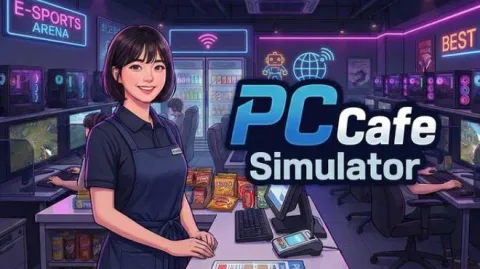
PC Cafe Simulator is a management simulation game set in a Korean PC cafean internet cafe built for PC gaming. Become the owner of a PC cafe and grow it from a small shop into a popular place filled with customers. Play solo at your own pace, or team up with friends in co op multiplayer for up to 8 players.
Build Your Own PC Cafe
Purchase the furniture and equipment you need to run your PC cafe and decorate it your way.
Use customization features to create an interior with the atmosphere you want.
Cook and Serve a Variety of Food
No Korean PC cafe is complete without food. Cook the food your customers order and serve it to them yourself. Keep your customers satisfied with delicious meals and increase your sales.
Order Supplies and Manage Your Inventory
Order the supplies you need for your PC cafe and receive deliveries.
Manage the inventory needed to keep your store running. Stock up on the food your customers want and run your store efficiently.
Realistic Customers and Staff
Customers will visit your PC cafe, sit down, play games, order food, and leave reviews based on their experience.
If there are no customers, head outside and attract passersby to bring more people into your PC cafe.
Rain or Shine
The sun rises and sets as time passes, and the weather changes from day to day.
Deal With Troublemakers Yourself
Some customers may run away without paying or cause a scene. Deal with them yourself using a broom.
Play Alone or With Friends
Run your PC cafe at your own pace in single player, or split up roles with friends in co op multiplayer for up to 8 players and manage the store more efficiently.
When you need a break, relax by listening to music or watching videos. You can enjoy them while working in your store too.
After closing time, buy fireworks and enjoy a fireworks show with your friends.
Create fun moments using a variety of emotes.
If one of your lazy friends is not doing their job, teach them a lesson with your broom.
Download PC Cafe Simulator: Latest Version Build 26279086
NOTE. Uploaded version: 29 October 2026 [Build 26279086]. This is Full Release and latest version of game. The game is already Packaged in ISO File and ready to run after install, read the instruction below.
Minimum:
Requires a 64-bit processor and operating system
OS: Windows 10 (64-bit)
Processor: Intel Core i5-8400 / AMD Ryzen 5 2600
Memory: 8 GB RAM
Graphics: NVIDIA GTX 1060 / AMD RX 580
DirectX: Version 11
Network: Broadband Internet connection
Storage: 10 GB available space
Recommended:
Requires a 64-bit processor and operating system
OS: Windows 10/11 (64-bit)
Processor: Intel Core i7-10700 / AMD Ryzen 5 5600X
Memory: 16 GB RAM
Graphics: NVIDIA RTX 2070 / AMD RX 6700 XT
DirectX: Version 11
Network: Broadband Internet connection
Storage: 10 GB available space
Screenshots


Gameplay Trailer
How to Install
- The first thing we do is download the game files.
- Unzip the archive to the hard disk. (how to unzip .rar)
- Wait for the unpacking process to finish.
- Start the game «PC.Cafe.Simulator.exe» from game folder.
- The language changes in the menu.


Comments 0