
UFO Robot Grendizer The Feast of the Wolves v1.0 - RUNE

- RUNE
- 1.0 Build 12659854
- FREE DOWNLOAD
- TORRENT
- NEW GAME
About The Game
UFO Robot Grendizer The Feast of the Wolves invites you to take on the role of Grendizer, the most fearsome robot in the entire galaxy, and fight the evil Vega Empire, which seeks to conquer Earth and destroy your home planet of Flid. This is a faithful adaptation of the popular anime series, with impressive graphics, addictive gameplay and an intriguing plot. Get ready for the adventures of Umon Daisuke, Prince of Flid, along with his companions Hikaru Makiba, Maria Grace and others. Throughout your journey, you’ll meet familiar faces from the series, including Genzo, the prince’s adoptive father, as well as Doctor Procyon, the brilliant mind behind Spazer and TFO.
Take flight on a flying module carried by the GG and take part in exciting battles with enemy ships and robots in vertical scrolling mode. Or hop on board Koji Kabuto’s private jet for intense 3D shooter action against enemy fighters. As you progress through UFO ROBOT GRENDIZER The Feast of the Wolves, you will earn experience points that can be used to improve abilities and unlock additional skills. In addition, dialogue taking place in various locations from the anime, including the Shirakaba farm, the space science laboratory, and the planet’s surface, will provide further insight into the characters' backstory. In addition, there is original voice acting from professional actors, accompanied by a new soundtrack that provides a modern and dynamic interpretation of classic themes.
NOTE. Uploaded version: 14 November 2023 [v1.0 Build 12686852]. This is Full Release and latest version of game. The game is already Packaged in ISO File and ready to run the game after install, read the instruction below.
- For the very first time, play as Grendizer and Umon Daisuke in this action/adventure game, which is all about the metal colossus.
- Execute and improve the famous must-have attacks of the giant robot
- Find all the characters, iconic places, and enemies of the TV series.
- A new gaming experience is offered to you in multiple game phases: Action/Brawler, 3rd person Shooter, Shoot Them Up and Exploration.
- Rediscover the iconic themes of the animated series, reimagined by Marcin Przybyłowicz (The Witcher 3: Wild Hunt) and Magda Urbańska (Gwent: Rouge Mage).
System Requirements
MINIMUM:
OS: Windows® 10
Processor: Intel® Core™ i5-3470 or AMD Ryzen™ 3 1200
Memory: 8 GB RAM
Graphics: GeForce GTX 1050 3 GB or AMD Radeon™ RX 560 4 GB
DirectX: Version 12
Storage: 30 GB available space
Sound Card: DirectX compatible
RECOMMENDED:
OS: Windows® 10
Processor: Intel™ Core i7-3770 or AMD Ryzen™ 5 1600
Memory: 8 GB RAM
Graphics: GeForce GTX 1060 6 GB or AMD Radeon™ RX 590
Storage: 30 GB available space
Sound Card: DirectX compatible
Screenshots


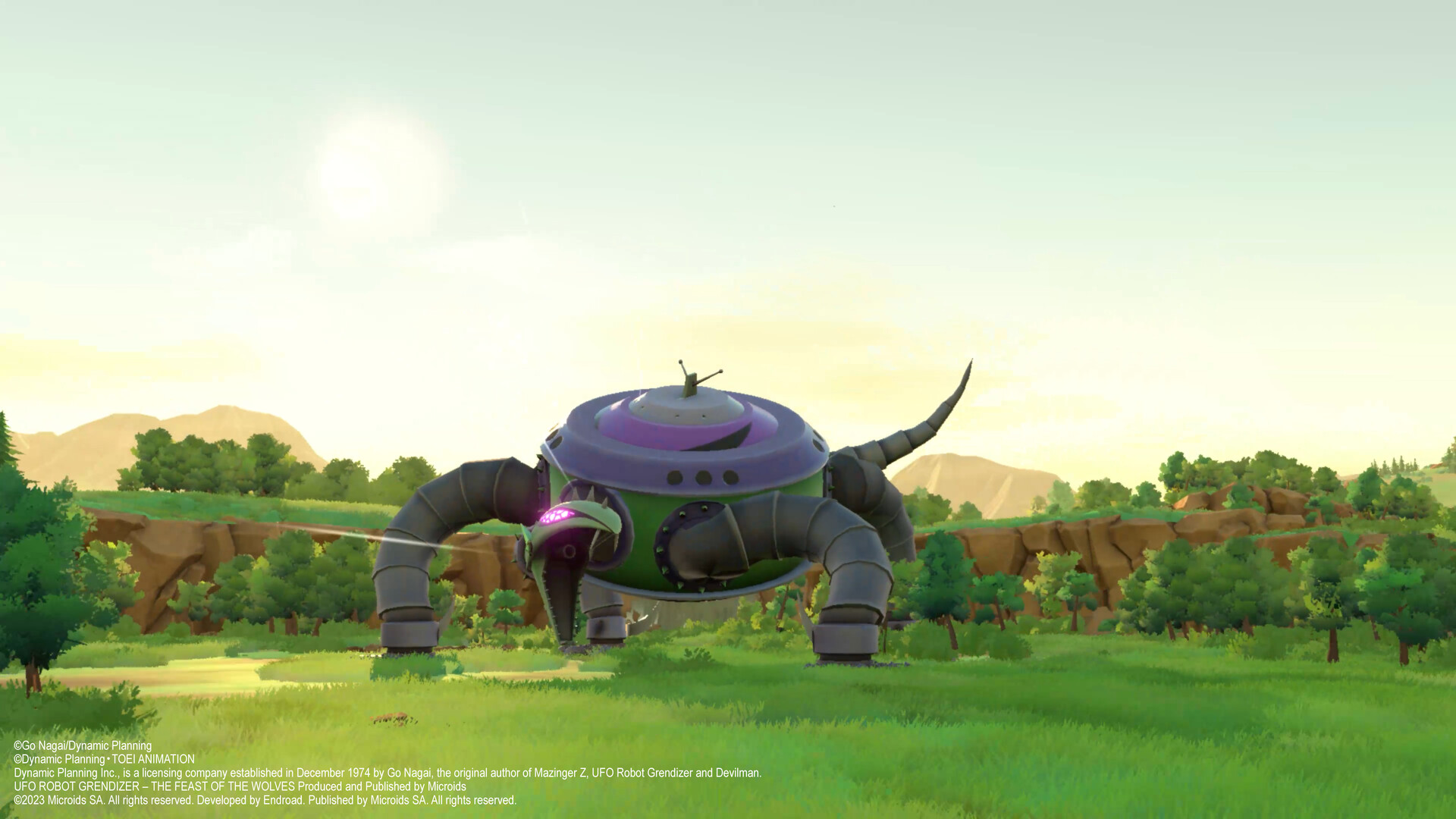
Gameplay Trailer
How to Install
- Download the Full game UFO.ROBOT.GRENDIZER.The.Feast.of.the.Wolves-RUNE through torrent.
- Mount the Full ISO-image game in the «UltraISO».
- Install the game on you PC, wait for 100% installation.
- Copy all files of the folder «RUNE» in game folder.
- Lock the game folder in the Windows firewall.
- Play!



Comments 0