
TechStore Simulator
- Build 26540720
- FREE DOWNLOAD
- TORRENT
- NEW GAME
Game Update History1 updateLast: 10.11.2026 · today
- 10.11.2026Build 26540720current
Data from the MaGamers update log · information may be outdated
About The Game
Your store. Your products. Your decisions.
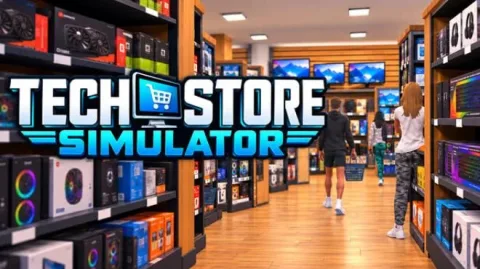
Open your own computer store in TechStoreSimulator. Design your sales floor, receive deliveries and welcome your first customers. From unpacking boxes to taking the last payment of the day, get involved in every part of running your business.
BUILD A STORE THAT FEELS LIKE YOURS
Organize your aisles and give your shop its own character. Position displays, choose finishes and create a space that suits your products.
Need more room? Expand your premises and rethink your layout as your business grows.
KEEP YOUR SHELVES STOCKED
Computer hardware, peripherals and gaming equipment: choose your range and unlock new product licenses to expand your catalog.
Order from suppliers, receive deliveries and unpack products onto your shelves. Set prices, run promotions and manage your stock to keep your store ready for business.
STEP BEHIND THE CHECKOUT
Your customers have found what they need. Now it's time to ring them up.
Scan their items, accept cash or card payments and give the correct change. Between sales, take a moment to refill your displays and get ready for the next customer.
HIRE AND DEVELOP YOUR TEAM
As your business grows, hire cashiers and restockers to help with the daily workload.
Your employees gain experience as they work. Keep track of their progress and wages to build a team that fits your store's needs.
PACK ONLINE ORDERS
Expand your business beyond the checkout with online orders.
Pick items from your shelves, pack boxes, print shipping labels and get your parcels ready. Load your trolley and take completed orders to the shipping counter to receive payment.
MANAGE YOUR BUSINESS
Use your store computer to manage purchases, review your results and plan your next investment.
Stock, wages, operating costs and expansions: every expense matters. Balance your spending and decide how to grow your shop.
FEATURES
- Build, customize and expand your store.
- Sell computer hardware, peripherals and gaming equipment.
- Order supplies, receive deliveries and stock shelves.
- Manage prices, promotions and inventory.
- Operate the checkout with cash and card payments.
- Hire employees and develop their skills.
- Pick, pack and drop off online orders.
- Track revenue, wages and operating costs.
Download TechStore Simulator: Latest Version Build 26540720
NOTE. Uploaded version: 10 November 2026 [Build 26540720]. This is Full Release and latest version of game. The game is already Packaged in ISO File and ready to run after install, read the instruction below.
Minimum:
Requires a 64-bit processor and operating system
OS: Windows 10 version 21H1 or later, 64-bit
Processor: Intel Core i5-10400 or AMD Ryzen 5 3600
Memory: 8 GB RAM
Graphics: NVIDIA GeForce GTX 1660, 6 GB
DirectX: Version 11
Storage: 10 GB available space
Recommended:
Requires a 64-bit processor and operating system
OS: Windows 11 64-bit
Processor: Intel Core i5-12400 or AMD Ryzen 5 5600
Memory: 16 GB RAM
Graphics: NVIDIA GeForce RTX 3060 12 GB or AMD Radeon RX 6600 XT 8 GB
DirectX: Version 12
Storage: 10 GB available space
Screenshots


Gameplay Trailer
How to Install
- The first thing we do is download the game files.
- Unzip the archive to the hard disk. (how to unzip .rar)
- Wait for the unpacking process to finish.
- Start the game «TechStore.Simulator.exe» from game folder.
- The language changes in the menu.


Comments 0